
How to make ghost mannequin apparel images with AI
Last updated: 2026-10-11
Short answer
Ghost Mannequin images remove the mannequin or model and keep only the garment's filled-out shape, a common product image format for standalone stores and apparel e-commerce. With MuseFrames' “Ghost Mannequin”, upload mannequin photos or photos of the garment being worn, up to 10 at a time, at 1–3 credits each; background color, aspect ratio and camera angle are all selectable. The inner collar and lining that the original photo can't show are filled in by AI; entering the actual colors in “Lining / inner collar color” prevents mistakes.
Note the platform rules: Amazon US requires adult apparel main images to be worn by a standing model, with no part of a mannequin visible; TikTok Shop's apparel listing quality guidelines recommend at least one image on a real model rather than only flat lay, ghost mannequin or hanger shots. So on these platforms, ghost mannequin images work best alongside on-model shots, which you can generate with “Virtual Try-On”.
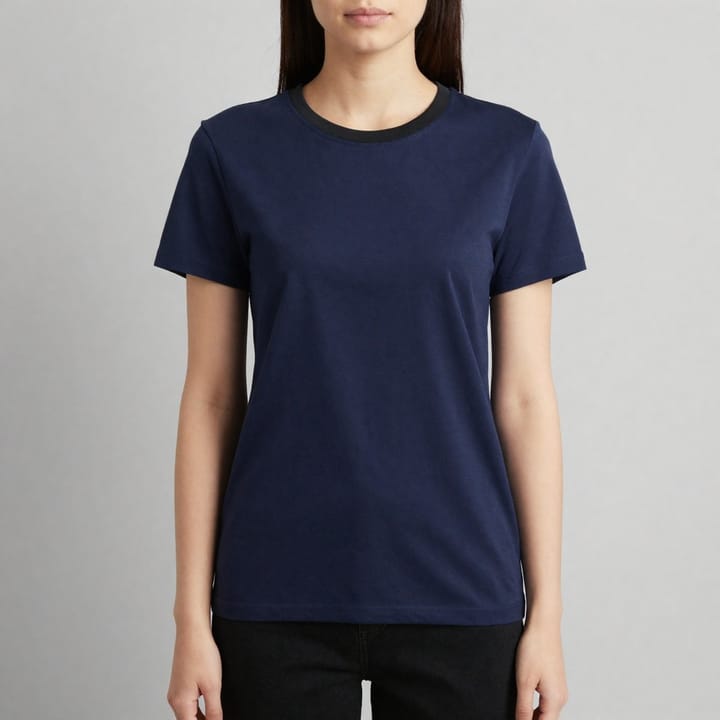
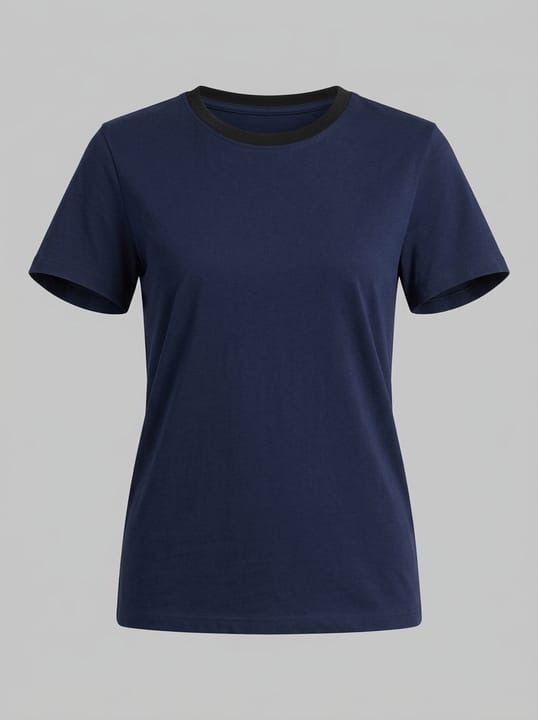
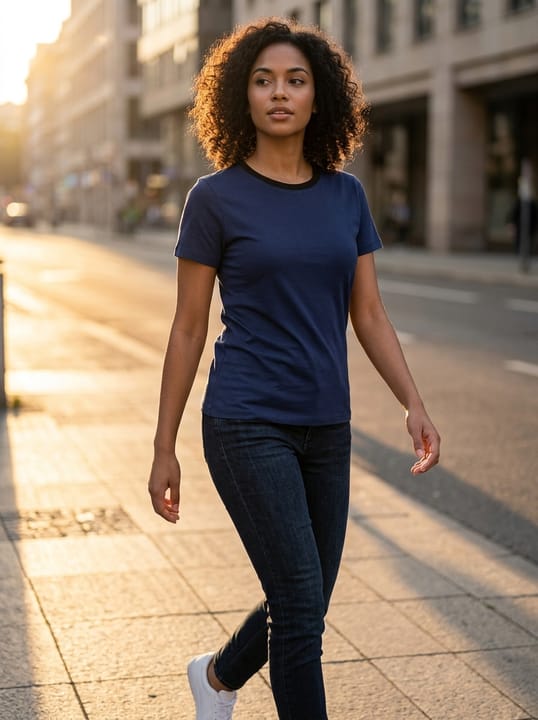
Platform rules for apparel images
| Item | Requirement |
|---|---|
| Amazon adult apparel main images | Must be worn by a standing model, at close to a 3:4 ratio, with the product filling 85% of the frame on a pure white backgroundSource 2 |
| Amazon mannequins | No part of a mannequin may appear in the main image, whatever the mannequin looks likeSource 1 |
| Amazon apparel accessories | Accessories and multipacks shown flat, without a modelSource 1 |
| TikTok Shop apparel | At least one image on a real model is recommended, rather than only flat lay, ghost mannequin or hanger shotsSource 3 |
| Shopify | No background rules; keeping all main images in the same aspect ratio is recommendedSource 4 |
Matching MuseFrames output specs
- Shopify product image: 2048×2048 square
- Instagram post: 1080×1350 · 4:5 portrait
First make one image you like and set it as the hero image, then choose “Channel versions” on it: each version costs 1 credit and is output at the sizes above.
Which tools to use and how many credits they cost
Ghost Mannequin
1–3 credits per image (1K–4K)Generate dimensional ghost mannequin images from mannequin or worn photos, up to 10 at a time, with a choice of background color and angle.
Open toolVirtual Try-On
2–6 credits per image (1K–4K)Put the same garment on an AI model to create the on-model shot the platform requires for main images.
Open toolBackground Remover
1–3 credits per image (1K–4K)Batch-convert flat-lay accessories and multipacks into white-background images.
Open toolMuseFrames charges in credits: 1 for a 1K image, 2 for 2K and 3 for 4K, with Virtual Try-On, Group Shot, Commercial Ad at 2×; video costs 15 credits for 5 sec and 45 credits for 15 sec.
Steps
- Photograph the garment from the front on a mannequin or model, with the garment smooth and the collar and cuffs fully in frame.
- Upload photos to “Ghost Mannequin” (up to 10 at a time) and enter the colors of the lining and inner collar.
- Choose a background color (white by default), aspect ratio and angle, then generate.
- Check the colors of the inner collar, cuffs and seams, and fix anything that doesn't match with “Refine parameters”.
- To list on Amazon or TikTok Shop, also use “Virtual Try-On” to generate on-model shots.
FAQ
Will Ghost Mannequin get the lining color wrong?
Parts not visible in the original have to be filled in by AI and may come out wrong. Enter the actual colors in “Lining / inner collar color”; you can also upload an extra photo of the inside of the garment as a reference.
Can ghost mannequin images be used as Amazon main images?
Amazon US requires adult apparel main images to be shown worn by a standing model, so use on-model shots generated with Virtual Try-On for adult apparel main images; ghost mannequin images suit your own online store and other channels that allow this format.
Can flat lays be turned into ghost mannequin images?
Mannequin photos or photos of the garment being worn work best, because they capture the garment's filled-out shape. For flat lays, we recommend using Background Remover to make white-background images.
How many credits does a ghost mannequin image cost?
1–3 credits per image (1K–4K); each angle you select adds one more image.
Sources
All pages below were accessed on 2026-10-11; prices and features may change at any time, so check the official websites for the latest.
- Amazon Seller Central: Product image guidelines: https://sellercentral.amazon.com/help/hub/reference/external/G1881
- Amazon Seller Central: Apparel image guidelines: https://sellercentral.amazon.com/help/hub/reference/external/G200498950
- TikTok Shop US Seller University: Product detail page and listing quality guidelines: https://seller-us.tiktok.com/university/essay?knowledge_id=481891871868714&lang=en
- Shopify Help Center: Product media types: https://help.shopify.com/en/manual/products/product-media/product-media-types
Try it with your own product photos
10 credits on sign-up · No credit card required
Start free