
TikTok Shop product images and short videos
Last updated: 2026-10-11
Short answer
TikTok Shop US allows up to 9 product images, at least 600×600 pixels, with 1:1 square recommended; the main image must have a pure white background and show the product from the front, and no image may include logos, text, borders or watermarks. Short videos and in-feed ads are recommended in 9:16 vertical. With MuseFrames, start by making a white-background main image in “Background Remover” or “AI Photo Studio” (1–3 credits each).
Then switch the Photo Studio to Video mode, choose 9:16 vertical, and turn the hero image into a 5-second (15 credits) or 15-second (45 credits) short video with camera motion; video is a paid feature and isn't available on the Free plan. When you need vertical image assets, generate the “Douyin / TikTok” channel version (1080×1920), leaving safe areas at the top and bottom. TikTok Shop allows using AI to change backgrounds and improve image quality, but not to change product information such as size, color or material, and content made largely with AI must be labeled.
TikTok Shop image and video specs (US)
| Item | Requirement |
|---|---|
| Number of product images | Up to 9 images, with at least 1 as the main imageSource 1 |
| Size and aspect ratio | At least 600×600 pixels; 1:1 recommended, though anything between 3:4 and 4:3 can also be uploadedSource 2 |
| File | JPG, JPEG or PNG, up to 10 MB per imageSource 2 |
| Hero image | Pure white background, product shown from the frontSource 1 |
| Prohibited content | No logos, text, borders, watermarks or promotional stickers on any image; no placeholder images; images must be in colorSource 1 |
| AI editing | You can use AI to change backgrounds and adjust lighting and image quality, but not to change product information; content made largely with AI must be labeledSource 3 |
| In-feed ad videos | 9:16 vertical recommended, at least 540×960 pixelsSource 4 |
Matching MuseFrames output specs
- Douyin / TikTok: 1080×1920 · 9:16 full screen, safe zones top and bottom
- Feed ad landscape: 1920×1080 · 16:9, copy area reserved
First make one image you like and set it as the hero image, then choose “Channel versions” on it: each version costs 1 credit and is output at the sizes above.
Which tools to use and how many credits they cost
Background Remover
1–3 credits per image (1K–4K)Switch the product photo to a pure white background to create a compliant main image.
Open toolAI Photo Studio
1–3 credits per image (1K–4K)Create cleanly lit product images; “E-commerce set” mode includes a TikTok Shop style.
Open toolProduct video (Photo Studio video mode)
5 sec 15 credits · 15 sec 45 creditsSwitch the Photo Studio to Video mode and choose 9:16 vertical and a duration; you can also click “Convert to video” on any image.
Open toolCommercial Ad
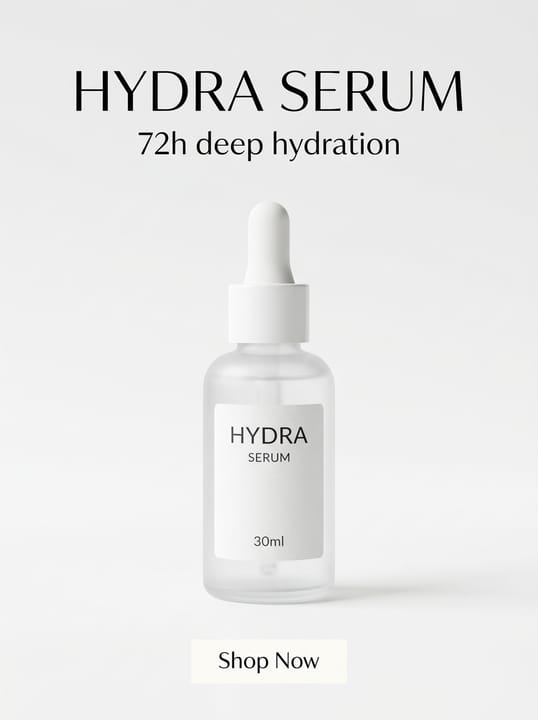
2–6 credits per image (1K–4K)Vertical ad creative: the product in focus with a typeset headline, selling points and button (don't use it as a product image).
Open toolMuseFrames charges in credits: 1 for a 1K image, 2 for 2K and 3 for 4K, with Virtual Try-On, Group Shot, Commercial Ad at 2×; video costs 15 credits for 5 sec and 45 credits for 15 sec.
Steps
- Generate a white-background main image in “Background Remover” or “AI Photo Studio” and set it as the hero image.
- Click “Convert to video” on the hero image, or switch the Photo Studio to Video mode, then choose 9:16 vertical and 5 or 15 seconds.
- You can leave the motion description empty (it defaults to commercial-ad camera motion) or write one sentence describing the camera movement you want.
- When you need vertical image assets, generate the “Douyin / TikTok” channel version.
- Before uploading, check that the product looks the same as the real thing, and label AI-generated content as the platform requires.
FAQ
How many credits does a video cost?
A 5-second video costs 15 credits and a 15-second video 45 credits; landscape and portrait cost the same. Video is a paid feature: subscribe to any paid plan or buy a credit pack to use it.
Does TikTok Shop allow AI-made product images?
TikTok Shop allows using AI to edit images, adjust lighting and color, and replace backgrounds, provided product information isn't changed; AI must not be used to change size, color, material, quantity or function, and content largely generated by AI must be labeled.
Will the product get distorted in the video?
The video uses the hero image you confirmed as its first frame, and the prompt instructs the model to keep the product's original shape, colors and label. Occasionally, fast camera motion can alter details; if so, regenerate with a slower motion description.
Can I generate videos with captions and music directly?
No. MuseFrames generates product footage with camera motion and no captions; add captions, music and voiceover in your video editor.
Sources
All pages below were accessed on 2026-10-11; prices and features may change at any time, so check the official websites for the latest.
- TikTok Shop US Seller University: Product listing policy: https://seller-us.tiktok.com/university/essay?knowledge_id=3196690250417921&lang=en
- TikTok Shop US Seller University: How to add products: https://seller-us.tiktok.com/university/essay?knowledge_id=6581713858676522&lang=en
- TikTok Shop US Seller University: AI-generated content restrictions and requirements: https://seller-us.tiktok.com/university/essay?knowledge_id=491489038501663&lang=en
- TikTok Ads Help Center: Auction In-Feed Ads specs: https://ads.tiktok.com/resources/help/article/tiktok-auction-in-feed-ads?lang=en
Try it with your own product photos
10 credits on sign-up · No credit card required
Start free