
AI fashion model photos and virtual try-on
Last updated: 2026-10-11
Short answer
MuseFrames offers two ways to create on-model shots. “Virtual Try-On” puts apparel and accessories on a model: upload your own model photo or let AI generate one, choose the pose, background and lighting, up to 6 items at a time, at 2–6 credits per image. “AI Model Studio” is better for products that are “held, worn or used”: it generates 4 images per product (a close-up, a half-body shot and two lifestyle scenes) at 1–3 credits each.
Mind the platform rules before listing: Amazon requires realistic AI-generated people to be tagged contains-synthetic-performer in the image metadata before upload; TikTok Shop requires content made largely with AI to be labeled and does not allow AI to change product information such as color or material. Both tools are instructed to keep the product's colors, patterns and details identical to the original, so check them after generating.
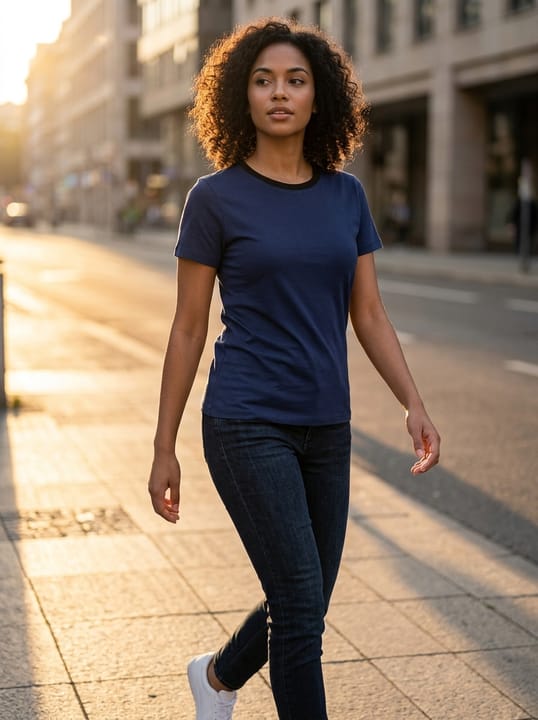
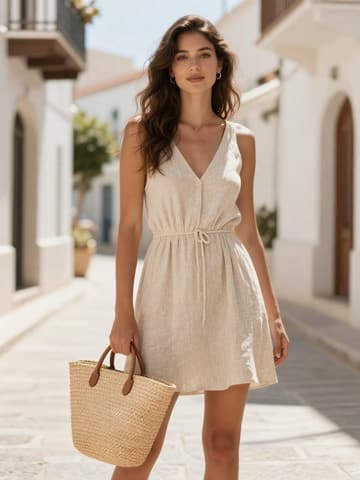
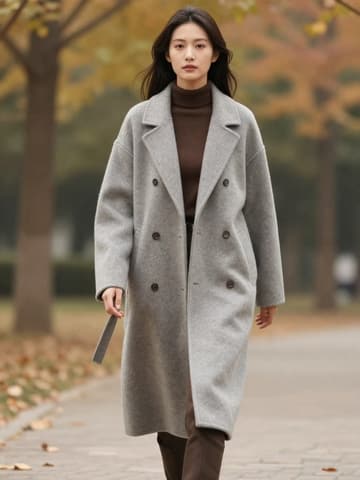

Platform rules for AI model images
| Item | Requirement |
|---|---|
| Amazon adult apparel main images | Must be shown worn by a standing model (not sitting, kneeling, leaning or lying down)Source 2 |
| Amazon AI-generated people | Realistic AI-generated people must be tagged with the keyword contains-synthetic-performer in the metadata before uploadSource 1 |
| TikTok Shop AI content | Content made largely with AI generation or editing must be labeled; AI must not be used to change product informationSource 3 |
Matching MuseFrames output specs
- Instagram post: 1080×1350 · 4:5 portrait
- Shopify product image: 2048×2048 square
First make one image you like and set it as the hero image, then choose “Channel versions” on it: each version costs 1 credit and is output at the sizes above.
Which tools to use and how many credits they cost
Virtual Try-On
2–6 credits per image (1K–4K)Put apparel, shoes, scarves and jewelry on a model; you can upload your own model photo to keep a consistent look.
Open toolAI Model Studio
1–3 credits per image (1K–4K)Blends the product naturally with a model: held, worn or in-use scenes, 4 images per product.
Open toolGhost Mannequin
1–3 credits per image (1K–4K)Make a ghost mannequin image of the same garment to pair with it on your own online store's product page.
Open toolMuseFrames charges in credits: 1 for a 1K image, 2 for 2K and 3 for 4K, with Virtual Try-On, Group Shot, Commercial Ad at 2×; video costs 15 credits for 5 sec and 45 credits for 15 sec.
Steps
- Shoot the front of the garment clearly (flat lay, hanging or on a mannequin all work), and shoot accessories separately.
- For apparel, choose “Virtual Try-On”, then pick a pose, background and lighting; to use a fixed model look, upload a model photo.
- For products that are held or worn, choose “AI Model Studio” and describe the model's look and pose.
- Check colors, patterns, logos and fit, and fix any deviations with “Refine parameters”.
- Label AI-generated people or content according to the target platform's rules, then upload.
FAQ
What's the difference between Virtual Try-On and AI Model Studio?
Virtual Try-On specializes in putting apparel and accessories “on” a model and can keep your own model's look; AI Model Studio is better for held, worn and in-use scenes, generating 4 different framings per product in one go.
Do AI model images need to be labeled on Amazon?
Yes. Amazon requires realistic AI-generated people to have the keyword contains-synthetic-performer added to the image metadata before upload; photos of real people that were only retouched with AI, and images without people, don't need it.
Can I use photos of real celebrities or influencers as models?
No. Using a real person's likeness without their consent violates the Acceptable Use Policy. Use model photos you have the rights to, or let AI generate a model.
Can I try on underwear and swimwear?
For underwear and swimwear, use the dedicated Intimates Studio (adult models and lawful product display only).
Sources
All pages below were accessed on 2026-10-11; prices and features may change at any time, so check the official websites for the latest.
- Amazon Seller Central: Product image guidelines: https://sellercentral.amazon.com/help/hub/reference/external/G1881
- Amazon Seller Central: Apparel image guidelines: https://sellercentral.amazon.com/help/hub/reference/external/G200498950
- TikTok Shop US Seller University: AI-generated content restrictions and requirements: https://seller-us.tiktok.com/university/essay?knowledge_id=491489038501663&lang=en
Try it with your own product photos
10 credits on sign-up · No credit card required
Start free