
How to shoot jewelry product photos with AI
Last updated: 2026-10-11
Short answer
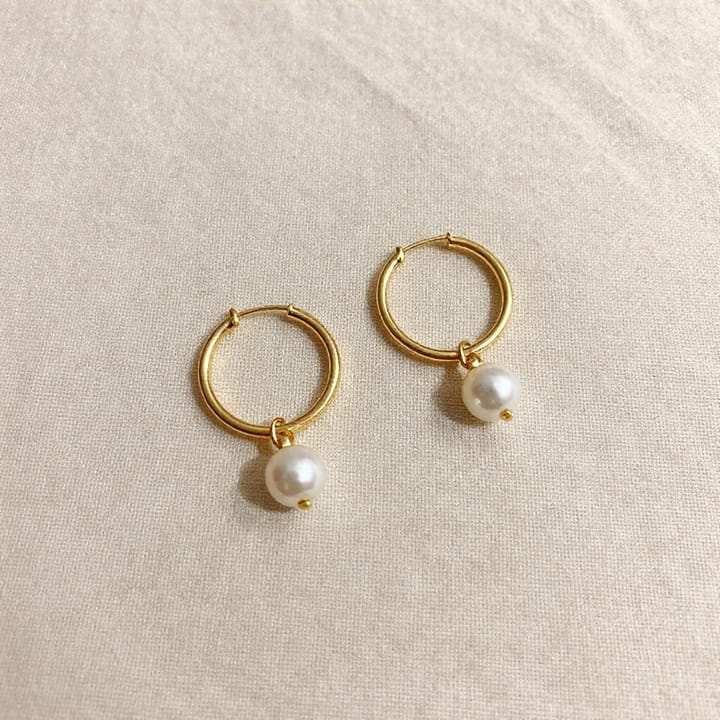
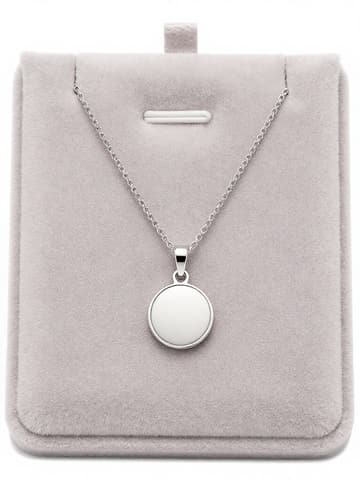
The hardest part of shooting jewelry is metal reflections and gemstone sparkle. MuseFrames' generation rules already include lighting handling for materials such as metal and gemstones; in “AI Photo Studio”, we recommend Luxury style with soft window light, Pristine mood and front view (1–3 credits each), and for the pure white main images that Amazon and TikTok Shop require, use “Background Remover”.
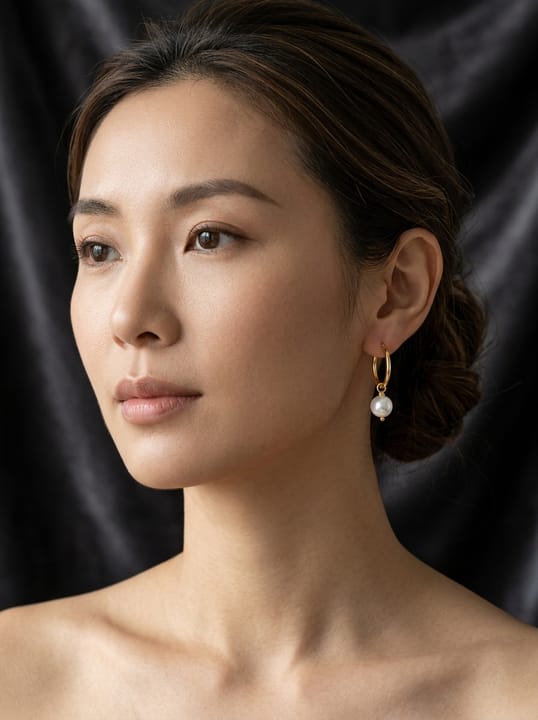
For worn looks, use “AI Model Studio”: upload earrings, a necklace or a ring, and it generates 4 model images per product (a close-up, a half-body shot and two lifestyle scenes) at 1–3 credits each; worn shots work well as secondary and social media images. For the product page, use “Product Page Set” to generate 8 images with selling-point copy at once. Jewelry details are small, so zoom in after generating to check the stone settings, engravings and chains.

Platform rules for jewelry main images
| Item | Requirement |
|---|---|
| Amazon main image background | Pure white, RGB 255,255,255; product fills 85% of the frameSource 1 |
| Amazon zoom | A longest side of 1000 pixels or more enables zoom, which matters especially for jewelry with small detailsSource 1 |
| Amazon authenticity | Images must accurately show the product's proportions, quantity and color, with no props that aren't includedSource 1 |
| TikTok Shop main image | Pure white background, product shown from the front, at least 600×600 pixels, no text or watermarksSource 2 |
Matching MuseFrames output specs
- Amazon hero image: 2000×2000, pure white background, product fills 85%
- Instagram post: 1080×1350 · 4:5 portrait
First make one image you like and set it as the hero image, then choose “Channel versions” on it: each version costs 1 credit and is output at the sizes above.
Which tools to use and how many credits they cost
AI Photo Studio
1–3 credits per image (1K–4K)Luxury style + soft window light + Pristine mood + front view, suited to main images and detail shots.
Open toolAI Model Studio
1–3 credits per image (1K–4K)Earrings, necklaces and rings shown worn, 4 images per product.
Open toolProduct Page Set
1–3 credits per image (1K–4K)8 product page images covering material, size, wearing scenes and selling-point copy.
Open toolBackground Remover
1–3 credits per image (1K–4K)Batch cutouts onto white backgrounds, with automatic dust and scratch repair.
Open toolMuseFrames charges in credits: 1 for a 1K image, 2 for 2K and 3 for 4K, with Virtual Try-On, Group Shot, Commercial Ad at 2×; video costs 15 credits for 5 sec and 45 credits for 15 sec.
Steps
- Use your phone to shoot the front of the jewelry clearly in natural light, avoiding strong reflections that hide details.
- In “AI Photo Studio”, choose Luxury style, soft window light, Pristine mood and front view to generate the main image; for platform main images, use “Background Remover” to switch to a pure white background.
- Generate worn looks with “AI Model Studio” and detail images with “Product Page Set”.
- Zoom in to check stone settings, engravings, chains and gemstone colors, and fix any deviations with “Refine parameters”.
FAQ
Will AI change gemstone colors or engravings?
The tool is instructed to keep the product's shape, colors and text unchanged, but small engravings and fine chains can still deviate. We recommend generating at 2K or 4K and zooming in to check before listing; if something is off, fix it with one sentence in “Refine parameters”.
What lighting works best for jewelry?
Soft window light is generally recommended: its soft shadows bring out the shine of metal without overexposing it. To emphasize the silhouette against a dark background, try neon outline lighting.
Can I generate a close-up of a model's hand wearing a ring?
Yes. Describe it under “Action / interaction” in AI Model Studio, for example “fingers naturally curved, ring facing the camera”.
Sources
All pages below were accessed on 2026-10-11; prices and features may change at any time, so check the official websites for the latest.
- Amazon Seller Central: Product image guidelines: https://sellercentral.amazon.com/help/hub/reference/external/G1881
- TikTok Shop US Seller University: Product listing policy: https://seller-us.tiktok.com/university/essay?knowledge_id=3196690250417921&lang=en
Try it with your own product photos
10 credits on sign-up · No credit card required
Start free