
AI jewelry try-on and on-model catalog photos
最終更新:2026-10-26
簡単な回答
Show rings, earrings, and necklaces on-model with AI try-on and catalog shots without a full jewelry shoot. Use this page for try-on / on-model; use /en/solutions/jewelry for general jewelry product-photo guidance.
Open Virtual Try-On or AI Model Studio (credits per public pricing / resolution). Optionally produce clean product-only frames in AI Photo Studio. QA reflections, metal color and scale before listing.
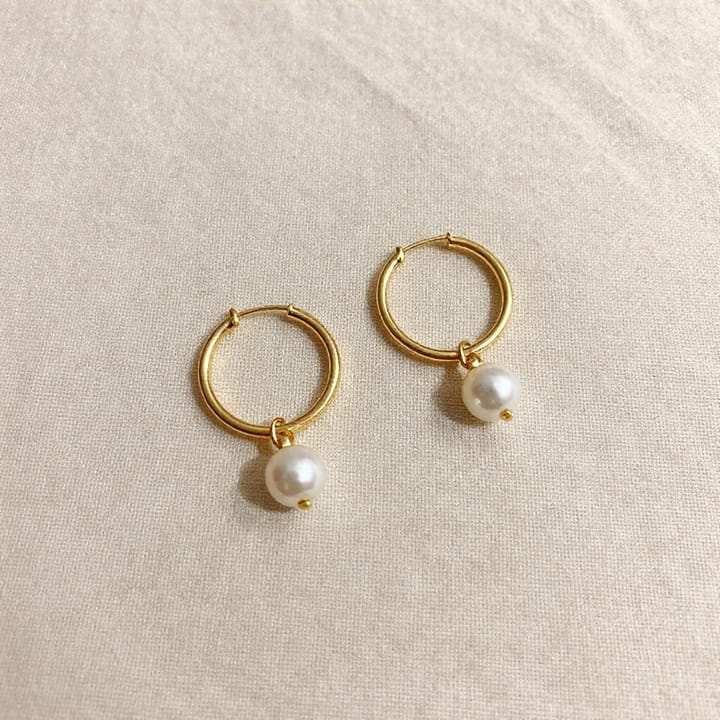
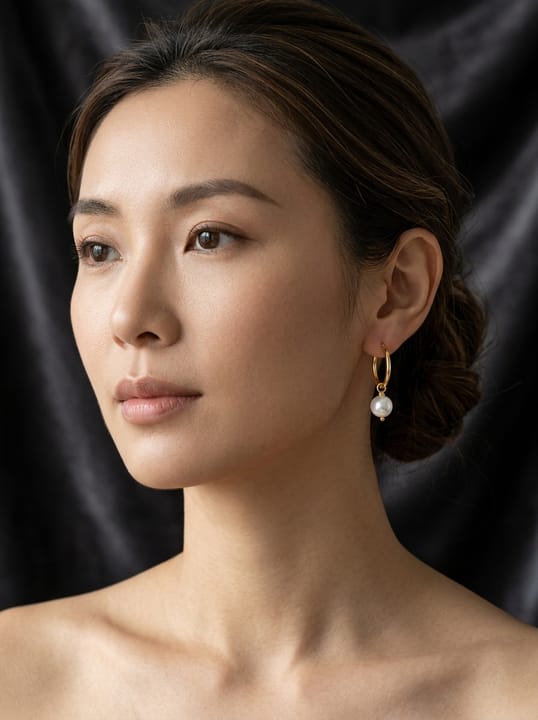

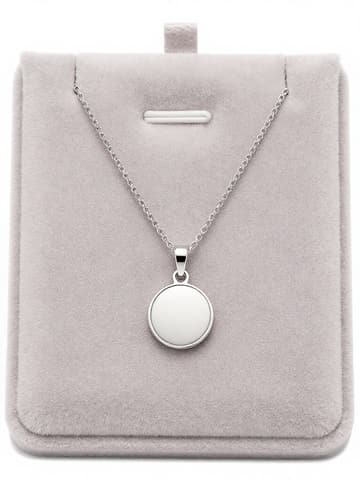
Try-On vs Model Studio for jewelry
| 項目 | 要件 |
|---|---|
| Sibling guide | /en/solutions/jewelry covers shooting and enhancing jewelry product photos — do not replace it出典 2 |
| Try-On / Model | On-model and try-on views; treat fit/scale as approximate出典 2 |
| Amazon MAIN | White background, product-accurate; AI people may need metadata labeling出典 1 |
| Reflections | Metal/gemstone highlights vary with source photo quality — always QA出典 2 |
MuseFrames の対応出力仕様
- Instagram 投稿:1080×1350 · 4:5 縦長
- Amazon メイン画像:2000×2000、純白背景、商品が 85% を占める
まず満足のいく画像を一枚作ってメイン画像に設定し、その作品で「チャネル別バージョン」を選びます。各バージョン 1 クレジットで、上記のサイズで出力されます。
使うツールと必要なクレジット
MuseFrames はクレジット制です:1K 画像 1 クレジット、2K 画像 2 クレジット、4K 画像 3 クレジット。バーチャル試着、グループショット、商業広告は 2 倍で計算されます。動画は 5 秒 15 クレジット、15 秒 45 クレジットです。
手順
- Upload a sharp photo of the piece (true metal/stone color).
- Open Virtual Try-On or Model Studio.
- Generate on-model / try-on views; keep scale realistic.
- Optionally produce clean product-only frames in Studio for the gallery.
- QA reflections and product accuracy before listing.
よくある質問
How is this different from the jewelry product photo guide?
/en/solutions/jewelry covers shooting and enhancing jewelry product photos. This page focuses on AI try-on and on-model catalog views. Link both.
Can AI try-on show accurate ring size?
Treat fit/scale as approximate. Always QA size cues and disclose per your store policy; MuseFrames does not replace physical sizing.
Which tools do I use?
/tool/try-on and /tool/model for on-model; /tool/studio for product-only and backgrounds. Credits per public pricing.
Will metal and gemstone reflections look real?
Results vary with source photo quality. Start with sharp, well-lit uploads and review highlights before publishing. See also the jewelry shoot guide for capture tips.
Related comparisons
Pair with the jewelry shoot guide and AI fashion models. For fashion try-on tools, see MuseFrames vs FASHN.
出典
以下のページはすべて 2026-10-26 に参照したものです。価格や機能は随時変更される可能性があるため、最新情報は公式サイトでご確認ください。
- Amazon Seller Central:商品画像ガイドライン:https://sellercentral.amazon.com/help/hub/reference/external/G1881
- MuseFrames Features:https://museframes.com/en/features
- MuseFrames Pricing:https://museframes.com/en/pricing
- MuseFrames Acceptable Use Policy:https://museframes.com/en/legal/acceptable-use
ご自身の商品写真で試してみましょう
点生成时再创建账号 — 支持 Google 或邮箱。
免费生成你的第一张目录图