
Make Walmart Marketplace product photos with AI
最終更新:2026-10-26
簡単な回答
Walmart Marketplace listings need clear, SKU-faithful product photos so shoppers can judge the item before they buy. MuseFrames turns one ordinary product photo into marketplace-ready heroes and secondary angles via Background Remover + AI Photo Studio (and optional Product Page Set).
Re-check Walmart Seller Center / Marketplace image requirements at publish time — this page does not invent policy. Billing and credits: see /en/pricing.



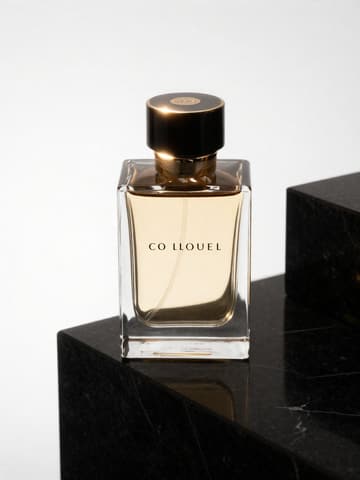
Walmart Marketplace listing photo expectations
| 項目 | 要件 |
|---|---|
| Hero clarity | Sharp product silhouette, true color, minimal clutter — re-check Seller Center出典 1 |
| Background | Prefer clean white / light-neutral for catalog grids when Seller Center calls for it — cite current Walmart help出典 1 |
| Multi-angle | Front + side + detail / packaging as secondary images出典 1 |
| No badges | Avoid text overlays, watermarks, borders on heroes where prohibited出典 1 |
| Fill | Product should dominate the frame; re-check official fill/safe-area guidance出典 1 |
MuseFrames の対応出力仕様
- Amazon メイン画像:2000×2000、純白背景、商品が 85% を占める
- Shopify 商品画像:2048×2048 正方形
まず満足のいく画像を一枚作ってメイン画像に設定し、その作品で「チャネル別バージョン」を選びます。各バージョン 1 クレジットで、上記のサイズで出力されます。
使うツールと必要なクレジット
MuseFrames はクレジット制です:1K 画像 1 クレジット、2K 画像 2 クレジット、4K 画像 3 クレジット。バーチャル試着、グループショット、商業広告は 2 倍で計算されます。動画は 5 秒 15 クレジット、15 秒 45 クレジットです。
手順
- Upload a sharp product photo (full silhouette, true color).
- Isolate with Background Remover or start cutout in Studio.
- Place on white / light-neutral; lock square or channel aspect.
- Generate secondary angles / detail shots from the same master.
- QA edges, color, fill, and label text; export sizes your listing needs.
よくある質問
Do Walmart Marketplace photos have to be pure white background?
Follow current Walmart Seller Center / Marketplace image help. Many catalog grids prefer clean white or light-neutral heroes; lifestyle shots may be allowed as secondary images. This page does not invent policy — see Sources.
How is this different from your Amazon main-image guide?
Amazon MAIN has stricter pure-white and fill conventions documented in /en/solutions/amazon-main-image. This page focuses on Walmart Marketplace listing sets; always re-check both channels’ current rules.
Can I reuse the same master for eBay and Shopify?
Often yes after resizing. See /en/solutions/ebay-product-photos and /en/solutions/shopify-product-photos for channel-specific notes.
Does MuseFrames keep my product identical?
Tools are designed to keep shape, colours, logo and label text faithful to your upload. Always QA before listing.
Where do credits and plans live?
See /en/pricing and the Credits & Billing help page. This guide does not list plan prices.
Related comparisons
Marketplace siblings: Amazon MAIN, eBay listings, white-background packshots, and bulk catalog runs.
出典
以下のページはすべて 2026-10-26 に参照したものです。価格や機能は随時変更される可能性があるため、最新情報は公式サイトでご確認ください。
- Walmart Marketplace Seller Help (re-check image guidance in Seller Center):https://sellerhelp.walmart.com/
- Amazon Seller Central:商品画像ガイドライン:https://sellercentral.amazon.com/help/hub/reference/external/G1881
- MuseFrames Pricing:https://museframes.com/en/pricing
- MuseFrames Features:https://museframes.com/en/features
ご自身の商品写真で試してみましょう
点生成时再创建账号 — 支持 Google 或邮箱。
免费生成你的第一张目录图