
Make eBay listing photos with AI
Last updated: 2026-10-26
Short answer
eBay listings need clear, accurate photos (main photo + extras per eBay help). MuseFrames helps you clean backgrounds, produce neutral/white heroes, and keep multi-angle consistency — then you upload via eBay's photo tools.
Follow eBay's current picture guidance; AI edits do not replace accurate representation of the item. Credits follow MuseFrames public pricing.
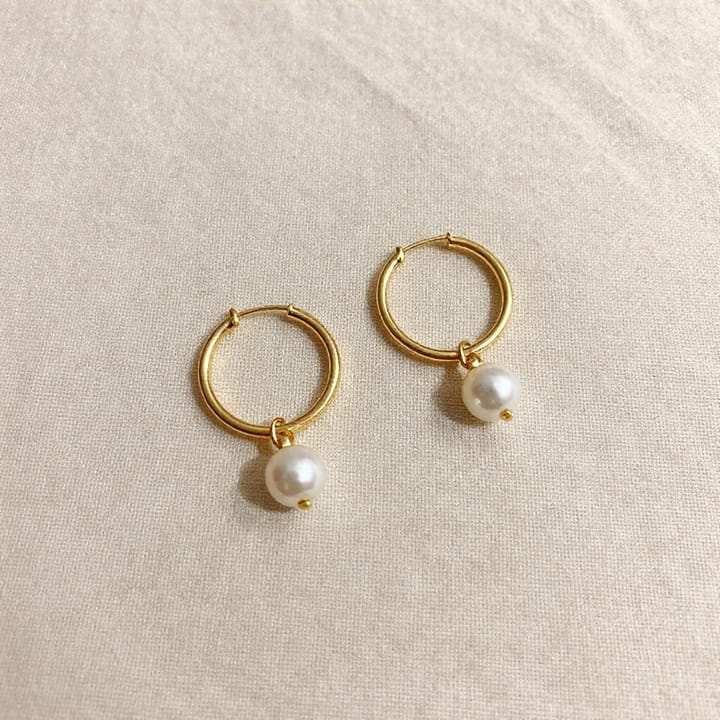


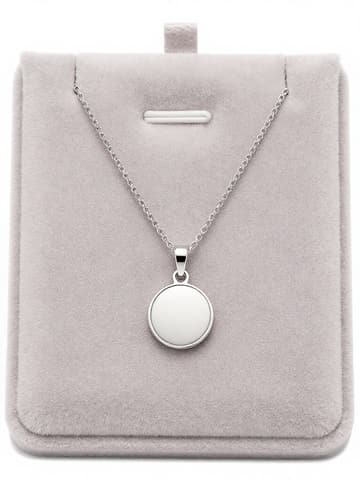
eBay listing photo expectations
| Item | Requirement |
|---|---|
| Main photo | First photo appears in search; keep uncluttered — cite eBay helpSource 1 |
| Backdrop | Plain neutral; white generally best; darker may help reflective itemsSource 1 |
| Size | Min ~500px longest side; eBay often recommends ~1600×1600 — re-check helpSource 1 |
| Avoid | Added badges, logos, watermarks that hurt placementSource 1 |
Matching MuseFrames output specs
- Shopify product image: 2048×2048 square
- Amazon hero image: 2000×2000, pure white background, product fills 85%
First make one image you like and set it as the hero image, then choose “Channel versions” on it: each version costs 1 credit and is output at the sizes above.
Which tools to use and how many credits they cost
Background Remover
1–3 credits per image (1K–4K)Remove cluttered backgrounds for neutral/white heroes.
Open toolProduct Page Set
1–3 credits per image (1K–4K)Multi-angle / detail sets after the main photo.
Open toolMuseFrames charges in credits: 1 for a 1K image, 2 for 2K and 3 for 4K, with Virtual Try-On, Group Shot, Commercial Ad at 2×; video costs 15 credits for 5 sec and 45 credits for 15 sec.
Steps
- Photograph or collect clear source images (front, back, details, flaws if used).
- Remove cluttered backgrounds in Background Remover.
- Place on white or neutral in AI Photo Studio; keep lighting even.
- Export a main hero plus detail crops; avoid text overlays.
- Upload to eBay following current eBay picture requirements (cite in Sources).
FAQ
Must eBay photos be pure white?
eBay recommends a plain neutral backdrop; white is generally best. It is guidance, not the same as Amazon MAIN pure-white rules — always re-check eBay help linked in Sources.
What size should listing photos be?
eBay help commonly cites a minimum around 500px on the longest side and often recommends larger (~1600). Re-check current eBay picture requirements before you upload.
Can I use AI-edited photos on eBay?
Follow eBay's current listing and picture policies. MuseFrames helps you produce clear photos; you remain responsible for accurate representation of the item you sell.
How is this different from the Etsy guide?
Same studio tools; marketplace norms differ. See /en/solutions/etsy-product-photos for Etsy Seller Handbook guidance and this page for eBay picture help.
Does eBay also enhance backgrounds on-site?
eBay may offer on-site background tools. MuseFrames is an offline prep path so you upload consistent heroes — use whichever fits your workflow.
Related comparisons
Marketplace parity with Etsy; also Amazon MAIN, white-background packshots, and background remover.
Sources
All pages below were accessed on 2026-10-26; prices and features may change at any time, so check the official websites for the latest.
- eBay — Picture requirements / adding photos (Official help): https://www.ebay.com/help/selling/listings/creating-managing-listings/adding-photos-listing?id=4146
- Amazon Seller Central: Product image guidelines: https://sellercentral.amazon.com/help/hub/reference/external/G1881
- MuseFrames Pricing: https://museframes.com/en/pricing
- MuseFrames Features: https://museframes.com/en/features
Try it with your own product photos
Create account when you hit Generate — Google or email.
Generate your first catalog shot free