
Footwear product photos with AI
Last updated: 2026-10-26
Short answer
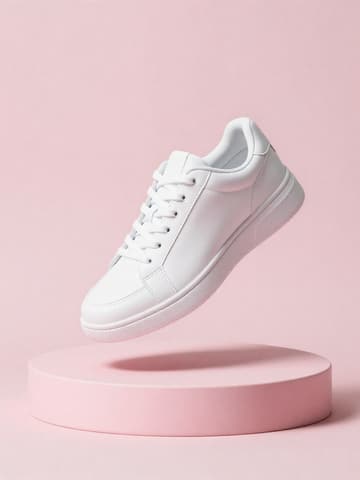
Footwear catalogs need consistent packshots: pair or single, profile/side, top-down, heel/back, and sole detail — usually on white. MuseFrames helps turn phone photos into clean white-BG footwear heroes and angle sets without a studio day.
Use flat-lay for overhead color checks; use apparel ghost tools only when relevant to soft goods, not as the default shoe technique. Credits follow MuseFrames public pricing.


Footwear packshot expectations
| Item | Requirement |
|---|---|
| Primary look | White packshot with true contact shadow / grounded look when availableSource 2 |
| Angles | Side, front, back/heel, top, sole — match your PDP / marketplace setSource 2 |
| Pair consistency | Same scale, margin, and light across the SKU gridSource 2 |
| Amazon MAIN | If listing on Amazon, also follow Amazon main image guidanceSource 1 |
Matching MuseFrames output specs
- Amazon hero image: 2000×2000, pure white background, product fills 85%
- Shopify product image: 2048×2048 square
First make one image you like and set it as the hero image, then choose “Channel versions” on it: each version costs 1 credit and is output at the sizes above.
Which tools to use and how many credits they cost
AI Photo Studio
1–3 credits per image (1K–4K)Packshot / white heroes with consistent scale across the pair.
Open toolMuseFrames charges in credits: 1 for a 1K image, 2 for 2K and 3 for 4K, with Virtual Try-On, Group Shot, Commercial Ad at 2×; video costs 15 credits for 5 sec and 45 credits for 15 sec.
Steps
- Shoot or collect clear photos of each pair (side, top, sole; true color).
- Remove busy floors/backgrounds in Background Remover.
- Generate white-BG packshots in AI Photo Studio; keep left/right scale consistent.
- Add top-down flat-lay or sole crops as needed; keep margins even across the grid.
- Export channel sizes; if selling on Amazon, re-check footwear/apparel image rules.
FAQ
Should footwear use ghost mannequin?
Usually no. Ghost mannequin is an apparel hollow-garment technique. Footwear packshots are product-still on white (or flat-lay overhead). Use ghost only for soft goods where it applies — see /en/solutions/apparel-ghost-mannequin.
Flat-lay or side packshot for sneakers?
Many catalogs use a side/profile hero plus top-down flat-lay for colorways. See /en/solutions/flat-lay for overhead technique and keep scale consistent.
How do I keep left and right shoes consistent?
Lock the same studio background, light, and margin; generate both sides in one batch style. Spot-check scale before publish.
Will these work for Amazon footwear MAIN images?
Often as white-BG product-only heroes, but you must follow Amazon's current footwear/apparel image rules. Link /en/solutions/amazon-main-image and Seller Central.
How many credits do footwear packshots cost?
Photo Studio and Background Remover charge per public MuseFrames pricing (resolution-based). See /en/pricing — do not invent pack sizes.
Related comparisons
White-background packshots, flat-lay overheads, Amazon MAIN policy, and Shopify catalog workflows.
Sources
All pages below were accessed on 2026-10-26; prices and features may change at any time, so check the official websites for the latest.
- Amazon Seller Central: Product image guidelines: https://sellercentral.amazon.com/help/hub/reference/external/G1881
- MuseFrames Features: https://museframes.com/en/features
- MuseFrames Pricing: https://museframes.com/en/pricing
- Shopify Help Center: Product media types: https://help.shopify.com/en/manual/products/product-media/product-media-types
Try it with your own product photos
Create account when you hit Generate — Google or email.
Generate your first catalog shot free