
Furniture product photos with AI
Last updated: 2026-10-26
Short answer
Furniture shoppers need accurate scale, finish and construction. MuseFrames turns a single product photo into white-BG catalog heroes and optional room lifestyle scenes, then builds multi-angle sets for PDP.
Re-check each marketplace’s furniture image guidance before publish. Billing and credits: see /en/pricing.

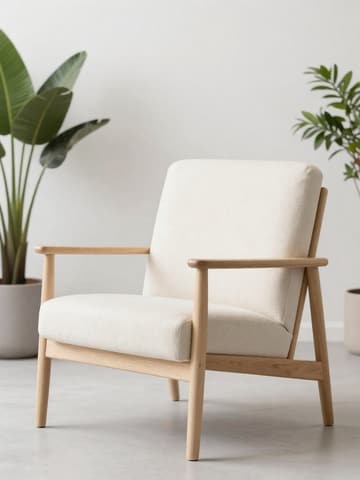

Furniture catalog photo expectations
| Item | Requirement |
|---|---|
| Packshot | Isolated product on white / light-neutral for gridsSource 2 |
| Lifestyle | Soft room scene for secondary / brand pages (no cluttered props that hide the SKU)Source 2 |
| Angles | Front, 3/4, detail (fabric / wood grain / joinery)Source 2 |
| Scale | Keep proportions honest; do not invent room dimensions in copySource 2 |
| Shadows | Soft contact shadow OK if it does not look floatingSource 2 |
Matching MuseFrames output specs
- Shopify product image: 2048×2048 square
- Amazon hero image: 2000×2000, pure white background, product fills 85%
First make one image you like and set it as the hero image, then choose “Channel versions” on it: each version costs 1 credit and is output at the sizes above.
Which tools to use and how many credits they cost
Background Remover
1–3 credits per image (1K–4K)Isolate furniture from busy rooms or floors.
Open toolAI Photo Studio
1–3 credits per image (1K–4K)White-BG heroes and controlled lifestyle looks.
Open toolVibe Match
1–3 credits per image (1K–4K)Optional lifestyle reference match for secondary scenes.
Open toolMuseFrames charges in credits: 1 for a 1K image, 2 for 2K and 3 for 4K, with Virtual Try-On, Group Shot, Commercial Ad at 2×; video costs 15 credits for 5 sec and 45 credits for 15 sec.
Steps
- Upload a sharp furniture photo (full piece visible, true finish).
- Isolate and place on white / light-neutral for the hero.
- Create 3/4 and detail angles from the same master.
- Optional: lifestyle room scene for secondary images.
- QA finish colour, legs/joinery, proportions; export sizes.
FAQ
White background or room scene first?
Use white-BG for marketplace heroes when the channel expects packshots; add room lifestyle as secondary. See /en/solutions/white-background-product-photos.
Can AI invent a whole showroom?
Prefer subtle lifestyle that still shows the real SKU. Over-styled scenes that hide construction details hurt trust — QA before listing.
Multi-SKU furniture lines?
Keep one lighting look and batch SKUs. See /en/solutions/bulk-product-photos.
Does this replace a 3D configurator?
No. This page is for catalog and listing photos from your product stills, not interactive 3D commerce.
Pricing?
See /en/pricing — no plan prices on this page.
Related comparisons
White-background packshots, bulk catalog runs, Shopify stores, and Amazon MAIN policy.
Sources
All pages below were accessed on 2026-10-26; prices and features may change at any time, so check the official websites for the latest.
- MuseFrames Features: https://museframes.com/en/features
- MuseFrames Pricing: https://museframes.com/en/pricing
- Amazon Seller Central: Product image guidelines: https://sellercentral.amazon.com/help/hub/reference/external/G1881
- Shopify Help Center: Product media types: https://help.shopify.com/en/manual/products/product-media/product-media-types
Try it with your own product photos
Create account when you hit Generate — Google or email.
Generate your first catalog shot free