
Make eBay listing photos with AI
Última actualización: 2026-10-26
Respuesta breve
eBay listings need clear, accurate photos (main photo + extras per eBay help). MuseFrames helps you clean backgrounds, produce neutral/white heroes, and keep multi-angle consistency — then you upload via eBay's photo tools.
Follow eBay's current picture guidance; AI edits do not replace accurate representation of the item. Credits follow MuseFrames public pricing.
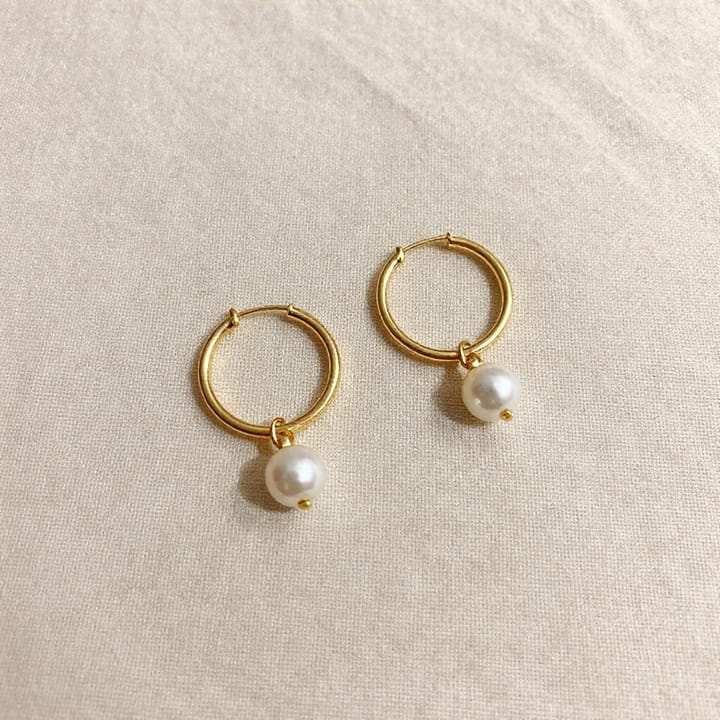


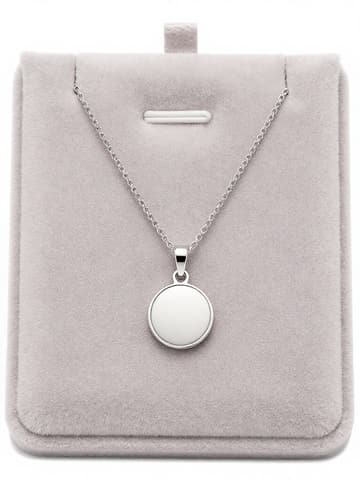
eBay listing photo expectations
| Punto | Requisitos |
|---|---|
| Main photo | First photo appears in search; keep uncluttered — cite eBay helpFuente 1 |
| Backdrop | Plain neutral; white generally best; darker may help reflective itemsFuente 1 |
| Size | Min ~500px longest side; eBay often recommends ~1600×1600 — re-check helpFuente 1 |
| Avoid | Added badges, logos, watermarks that hurt placementFuente 1 |
Especificaciones de salida de MuseFrames
- Imagen de producto de Shopify: 2048×2048 cuadrada
- Imagen principal de Amazon: 2000×2000, fondo blanco puro, producto al 85%
Crea primero una imagen que te guste y establécela como imagen principal; luego elige «Versiones por canal» en el resultado: cada versión consume 1 de tus créditos y se genera en los tamaños indicados arriba.
Herramientas y créditos necesarios
Quitar Fondo
1–3 créditos por imagen (1K–4K)Remove cluttered backgrounds for neutral/white heroes.
Abrir herramientaEstudio Fotográfico IA
1–3 créditos por imagen (1K–4K)Even lighting and consistent listing looks.
Abrir herramientaSet de Página de Producto
1–3 créditos por imagen (1K–4K)Multi-angle / detail sets after the main photo.
Abrir herramientaMuseFrames cobra en créditos: las imágenes 1K, 2K y 4K cuestan 1, 2 y 3 créditos respectivamente, y Probador Virtual, Foto de Grupo, Anuncio Comercial se cobran con tarifa ×2; el vídeo de 5 s cuesta 15 créditos y el de 15 s, 45 créditos.
Pasos
- Photograph or collect clear source images (front, back, details, flaws if used).
- Remove cluttered backgrounds in Background Remover.
- Place on white or neutral in AI Photo Studio; keep lighting even.
- Export a main hero plus detail crops; avoid text overlays.
- Upload to eBay following current eBay picture requirements (cite in Sources).
Preguntas frecuentes
Must eBay photos be pure white?
eBay recommends a plain neutral backdrop; white is generally best. It is guidance, not the same as Amazon MAIN pure-white rules — always re-check eBay help linked in Sources.
What size should listing photos be?
eBay help commonly cites a minimum around 500px on the longest side and often recommends larger (~1600). Re-check current eBay picture requirements before you upload.
Can I use AI-edited photos on eBay?
Follow eBay's current listing and picture policies. MuseFrames helps you produce clear photos; you remain responsible for accurate representation of the item you sell.
How is this different from the Etsy guide?
Same studio tools; marketplace norms differ. See /en/solutions/etsy-product-photos for Etsy Seller Handbook guidance and this page for eBay picture help.
Does eBay also enhance backgrounds on-site?
eBay may offer on-site background tools. MuseFrames is an offline prep path so you upload consistent heroes — use whichever fits your workflow.
Related comparisons
Marketplace parity with Etsy; also Amazon MAIN, white-background packshots, and background remover.
Fuentes
Todas las páginas siguientes se consultaron el 2026-10-26; los precios y las funciones pueden cambiar en cualquier momento; consulta siempre la web oficial.
- eBay — Picture requirements / adding photos (Official help): https://www.ebay.com/help/selling/listings/creating-managing-listings/adding-photos-listing?id=4146
- Amazon Seller Central: guía de imágenes de producto: https://sellercentral.amazon.com/help/hub/reference/external/G1881
- MuseFrames Pricing: https://museframes.com/en/pricing
- MuseFrames Features: https://museframes.com/en/features
Pruébalo con tus propias fotos de producto
点生成时再创建账号 — 支持 Google 或邮箱。
免费生成你的第一张目录图