
Make Etsy-ready product photos with AI
Última actualización: 2026-10-26
Respuesta breve
Etsy sellers need clear, trustworthy listing photos without a studio. MuseFrames helps create clean product shots (white or lifestyle), apparel ghost/try-on when relevant, and consistent sets across SKUs — then you upload to Etsy per current seller photo guidelines.
Use AI Photo Studio and Background Remover for cutouts/white-bg; apparel can add Ghost Mannequin or Virtual Try-On. Credits per /en/pricing. You remain responsible for accurate representation of what you sell.
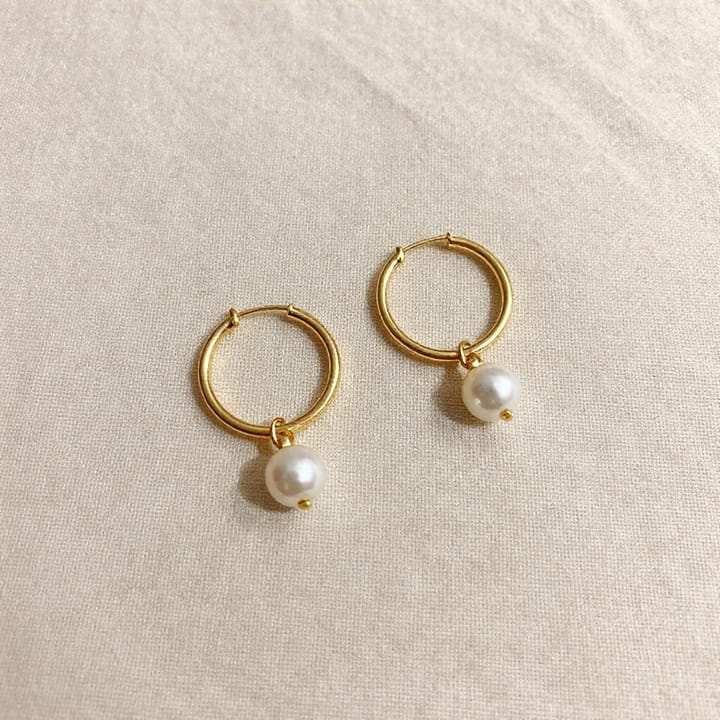

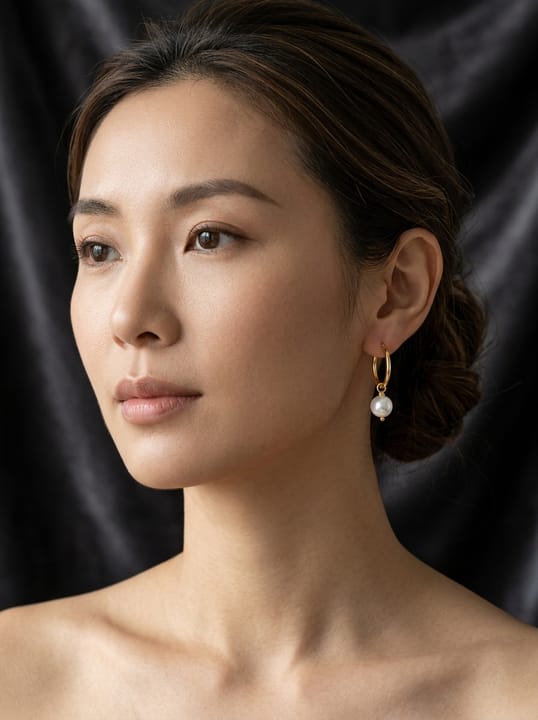
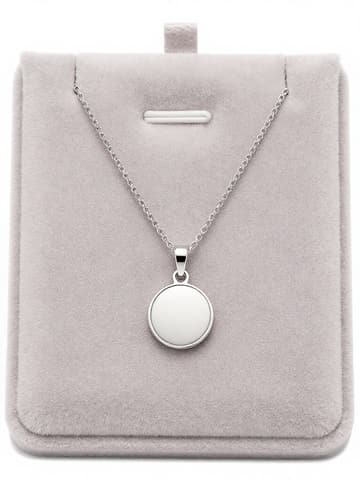
Etsy listing image expectations
| Punto | Requisitos |
|---|---|
| Seller policies | Follow Etsy’s current seller handbook photo guidance (primary source in Sources)Fuente 1 |
| Accurate representation | Photos must fairly represent the item you sell; AI edits do not replace policy complianceFuente 1 |
| Style mix | Many shops use a clean hero plus lifestyle or process shotsFuente 2 |
| Credits / watermark | Plan details and watermark rules follow MuseFrames public pricing — do not inventFuente 3 |
Especificaciones de salida de MuseFrames
- Imagen de producto de Shopify: 2048×2048 cuadrada
- Publicación de Instagram: 1080×1350 · 4:5 vertical
Crea primero una imagen que te guste y establécela como imagen principal; luego elige «Versiones por canal» en el resultado: cada versión consume 1 de tus créditos y se genera en los tamaños indicados arriba.
Herramientas y créditos necesarios
Estudio Fotográfico IA
1–3 créditos por imagen (1K–4K)Clean listing heroes and lifestyle variants from one product photo.
Abrir herramientaQuitar Fondo
1–3 créditos por imagen (1K–4K)Remove or replace backgrounds for white-bg or cutout exports.
Abrir herramientaManiquí Invisible
1–3 créditos por imagen (1K–4K)Optional apparel hollow-garment shots when relevant.
Abrir herramientaProbador Virtual
2–6 créditos por imagen (1K–4K)Optional on-model apparel views for clothing listings.
Abrir herramientaMuseFrames cobra en créditos: las imágenes 1K, 2K y 4K cuestan 1, 2 y 3 créditos respectivamente, y Probador Virtual, Foto de Grupo, Anuncio Comercial se cobran con tarifa ×2; el vídeo de 5 s cuesta 15 créditos y el de 15 s, 45 créditos.
Pasos
- Upload your product photo.
- Remove or replace the background in Background Remover / Studio as needed.
- For apparel, optionally run Ghost Mannequin or Try-On.
- Export clean listing crops; keep handmade / authentic look if that is your brand.
- Upload to Etsy following current Etsy Seller Handbook image guidance (cite in Sources).
Preguntas frecuentes
Can I use AI-edited photos on Etsy?
Follow Etsy’s current seller policies and photo guidelines (link official help in Sources). MuseFrames helps you produce clear product images; you remain responsible for accurate representation of what you sell.
White background or lifestyle for Etsy?
Many shops use a mix: a clean hero plus lifestyle or process shots. MuseFrames supports both cutouts/white-bg and studio-style variants. Match your category norms and Etsy’s guidance.
Does the free tier watermark Etsy-ready exports?
Use MuseFrames public pricing / plan details at ship. Do not invent watermark rules — cite /en/pricing and help pages.
How is this different from the Shopify or Amazon guides?
Same studio tools; channel expectations differ. See /en/solutions/shopify-product-photos and /en/solutions/amazon-main-image for those marketplaces; this page focuses on Etsy shop listings.
Related comparisons
Also see eBay listing photos for marketplace parity, Shopify and Amazon guides, MuseFrames vs Canva for design-suite workflows, and the background remover solution.
Fuentes
Todas las páginas siguientes se consultaron el 2026-10-26; los precios y las funciones pueden cambiar en cualquier momento; consulta siempre la web oficial.
- Etsy Seller Handbook: listing photos (Official): https://www.etsy.com/seller-handbook/article/154343798313
- MuseFrames Features: https://museframes.com/en/features
- MuseFrames Pricing: https://museframes.com/en/pricing
- Centro de ayuda de Shopify: tipos de contenido multimedia de producto: https://help.shopify.com/en/manual/products/product-media/product-media-types
Pruébalo con tus propias fotos de producto
点生成时再创建账号 — 支持 Google 或邮箱。
免费生成你的第一张目录图