
Footwear product photos with AI
Última actualización: 2026-10-26
Respuesta breve
Footwear catalogs need consistent packshots: pair or single, profile/side, top-down, heel/back, and sole detail — usually on white. MuseFrames helps turn phone photos into clean white-BG footwear heroes and angle sets without a studio day.
Use flat-lay for overhead color checks; use apparel ghost tools only when relevant to soft goods, not as the default shoe technique. Credits follow MuseFrames public pricing.
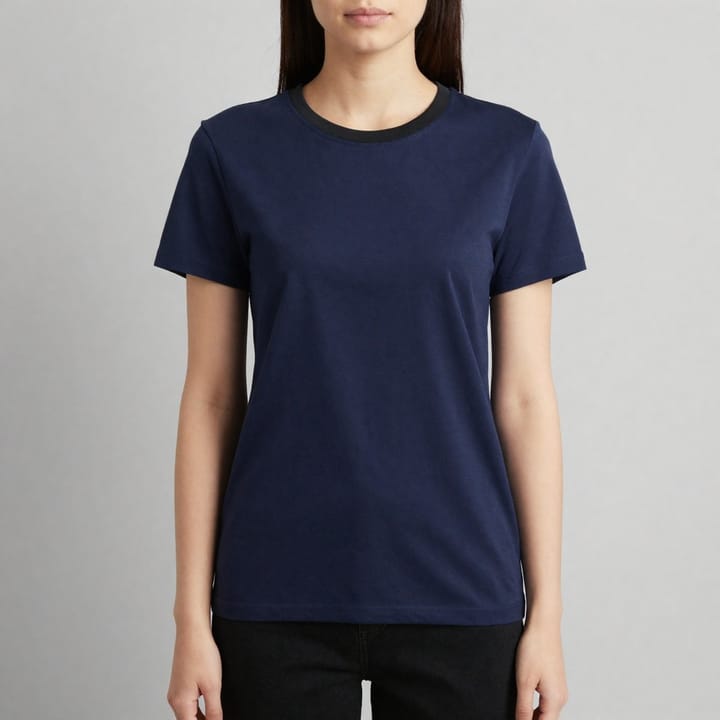
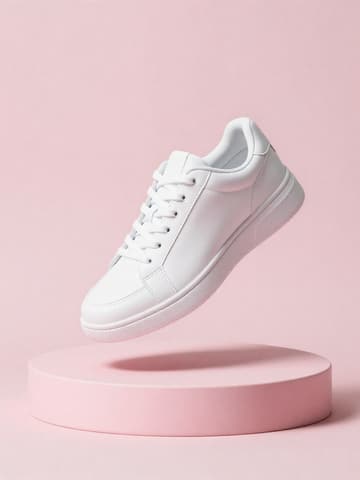


Footwear packshot expectations
| Punto | Requisitos |
|---|---|
| Primary look | White packshot with true contact shadow / grounded look when availableFuente 2 |
| Angles | Side, front, back/heel, top, sole — match your PDP / marketplace setFuente 2 |
| Pair consistency | Same scale, margin, and light across the SKU gridFuente 2 |
| Amazon MAIN | If listing on Amazon, also follow Amazon main image guidanceFuente 1 |
Especificaciones de salida de MuseFrames
- Imagen principal de Amazon: 2000×2000, fondo blanco puro, producto al 85%
- Imagen de producto de Shopify: 2048×2048 cuadrada
Crea primero una imagen que te guste y establécela como imagen principal; luego elige «Versiones por canal» en el resultado: cada versión consume 1 de tus créditos y se genera en los tamaños indicados arriba.
Herramientas y créditos necesarios
Estudio Fotográfico IA
1–3 créditos por imagen (1K–4K)Packshot / white heroes with consistent scale across the pair.
Abrir herramientaGenerador de Mockups
1–3 créditos por imagen (1K–4K)Optional surface or lifestyle scene variants.
Abrir herramientaSet de Página de Producto
1–3 créditos por imagen (1K–4K)Multi-angle set assembly for PDPs.
Abrir herramientaMuseFrames cobra en créditos: las imágenes 1K, 2K y 4K cuestan 1, 2 y 3 créditos respectivamente, y Probador Virtual, Foto de Grupo, Anuncio Comercial se cobran con tarifa ×2; el vídeo de 5 s cuesta 15 créditos y el de 15 s, 45 créditos.
Pasos
- Shoot or collect clear photos of each pair (side, top, sole; true color).
- Remove busy floors/backgrounds in Background Remover.
- Generate white-BG packshots in AI Photo Studio; keep left/right scale consistent.
- Add top-down flat-lay or sole crops as needed; keep margins even across the grid.
- Export channel sizes; if selling on Amazon, re-check footwear/apparel image rules.
Preguntas frecuentes
Should footwear use ghost mannequin?
Usually no. Ghost mannequin is an apparel hollow-garment technique. Footwear packshots are product-still on white (or flat-lay overhead). Use ghost only for soft goods where it applies — see /en/solutions/apparel-ghost-mannequin.
Flat-lay or side packshot for sneakers?
Many catalogs use a side/profile hero plus top-down flat-lay for colorways. See /en/solutions/flat-lay for overhead technique and keep scale consistent.
How do I keep left and right shoes consistent?
Lock the same studio background, light, and margin; generate both sides in one batch style. Spot-check scale before publish.
Will these work for Amazon footwear MAIN images?
Often as white-BG product-only heroes, but you must follow Amazon's current footwear/apparel image rules. Link /en/solutions/amazon-main-image and Seller Central.
How many credits do footwear packshots cost?
Photo Studio and Background Remover charge per public MuseFrames pricing (resolution-based). See /en/pricing — do not invent pack sizes.
Related comparisons
White-background packshots, flat-lay overheads, Amazon MAIN policy, and Shopify catalog workflows.
Fuentes
Todas las páginas siguientes se consultaron el 2026-10-26; los precios y las funciones pueden cambiar en cualquier momento; consulta siempre la web oficial.
- Amazon Seller Central: guía de imágenes de producto: https://sellercentral.amazon.com/help/hub/reference/external/G1881
- MuseFrames Features: https://museframes.com/en/features
- MuseFrames Pricing: https://museframes.com/en/pricing
- Centro de ayuda de Shopify: tipos de contenido multimedia de producto: https://help.shopify.com/en/manual/products/product-media/product-media-types
Pruébalo con tus propias fotos de producto
点生成时再创建账号 — 支持 Google 或邮箱。
免费生成你的第一张目录图