
Create flat-lay product photos with AI
Última actualización: 2026-10-26
Respuesta breve
Flat-lay is a top-down catalog style (product arranged on a surface), distinct from ghost mannequin (hollow garment) and on-model. MuseFrames helps turn a single product shot into clean flat-lay style catalog images for Shopify, Amazon, and brand stores — then size for channels.
Start in AI Photo Studio (and Mockup / Ghost Mannequin when the SKU is apparel). Credits follow public pricing: studio about 1–3 credits per image. Always QA edges, shadows and SKU accuracy before publishing.


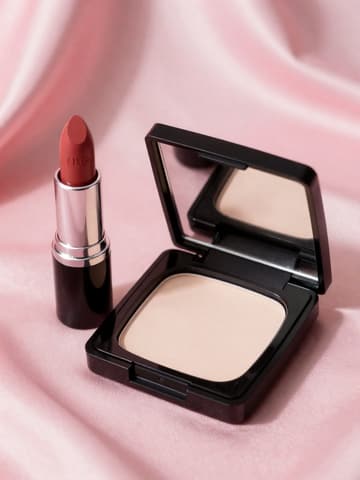

Flat-lay vs ghost vs on-model
| Punto | Requisitos |
|---|---|
| Flat-lay | Top-down product arranged on a surface; common for accessories, beauty and hard goodsFuente 2 |
| Ghost mannequin | Hollow worn apparel shape with invisible mannequin — see apparel ghost guideFuente 3 |
| Amazon MAIN | Often needs pure white background and product-only framing; flat-lay may be secondaryFuente 1 |
| Shopify | No forced background; keep catalog style consistent across SKUsFuente 4 |
Especificaciones de salida de MuseFrames
- Imagen de producto de Shopify: 2048×2048 cuadrada
- Imagen principal de Amazon: 2000×2000, fondo blanco puro, producto al 85%
Crea primero una imagen que te guste y establécela como imagen principal; luego elige «Versiones por canal» en el resultado: cada versión consume 1 de tus créditos y se genera en los tamaños indicados arriba.
Herramientas y créditos necesarios
Estudio Fotográfico IA
1–3 créditos por imagen (1K–4K)Primary path for flat-lay / top-down catalog looks from one product photo.
Abrir herramientaGenerador de Mockups
1–3 créditos por imagen (1K–4K)Scene/mockup variants when you need prop or surface looks.
Abrir herramientaManiquí Invisible
1–3 créditos por imagen (1K–4K)When apparel needs hollow-garment output instead of top-down flat-lay.
Abrir herramientaMuseFrames cobra en créditos: las imágenes 1K, 2K y 4K cuestan 1, 2 y 3 créditos respectivamente, y Probador Virtual, Foto de Grupo, Anuncio Comercial se cobran con tarifa ×2; el vídeo de 5 s cuesta 15 créditos y el de 15 s, 45 créditos.
Pasos
- Upload a clear product photo (neutral light, full product in frame).
- Open AI Photo Studio (and Mockup / Ghost when the SKU is apparel).
- Choose a flat-lay / top-down catalog look; keep props minimal unless your brand needs them.
- Export marketplace or store sizes you need.
- Review edges, shadows, and SKU accuracy before publishing.
Preguntas frecuentes
What is the difference between flat-lay and ghost mannequin?
Flat-lay shows the product arranged from above on a surface. Ghost mannequin shows apparel with a hollow, worn shape and invisible mannequin. Use flat-lay for accessories, beauty, and many hard goods; use ghost for apparel that needs a 3D worn look — see /en/solutions/apparel-ghost-mannequin.
Can I batch flat-lay photos for a whole catalog?
Use MuseFrames studio tools and credits per public pricing. Batch availability and credit costs should match the live pricing / help pages at ship — do not invent pack sizes.
Will flat-lay images work for Amazon and Shopify?
Often yes as secondary or lifestyle images; Amazon main images usually need a pure white background and product-only framing. Link /en/solutions/amazon-main-image and /en/solutions/shopify-product-photos for channel rules.
Which MuseFrames tools should I use for flat-lay?
Start with /tool/studio; use /tool/mockup when you need scene/mockup variants; use /tool/ghost when apparel needs hollow-garment output instead of top-down flat-lay.
Related comparisons
Flat-lay sits beside ghost mannequin for apparel and footwear packshots for shoes. Compare MuseFrames vs Pixelcut and MuseFrames vs Photoroom — or browse all solutions.
Fuentes
Todas las páginas siguientes se consultaron el 2026-10-26; los precios y las funciones pueden cambiar en cualquier momento; consulta siempre la web oficial.
- Amazon Seller Central: guía de imágenes de producto: https://sellercentral.amazon.com/help/hub/reference/external/G1881
- MuseFrames Features: https://museframes.com/en/features
- Amazon Seller Central: guía de imágenes de ropa: https://sellercentral.amazon.com/help/hub/reference/external/G200498950
- Centro de ayuda de Shopify: tipos de contenido multimedia de producto: https://help.shopify.com/en/manual/products/product-media/product-media-types
- MuseFrames Pricing: https://museframes.com/en/pricing
Pruébalo con tus propias fotos de producto
点生成时再创建账号 — 支持 Google 或邮箱。
免费生成你的第一张目录图