
Temu product photos with AI
Last updated: 2026-10-11
Short answer
Temu listings convert when the primary image clearly shows the real SKU without clutter. MuseFrames builds white-BG packshots and gallery frames from one product photo — always QA colour, logos and proportions, then confirm Temu’s current seller image help before you upload.
Never invent Temu pixel or min-size rules — cite Temu seller help. Soft CTA: /auth?mode=signup. Billing and credits: see /en/pricing.
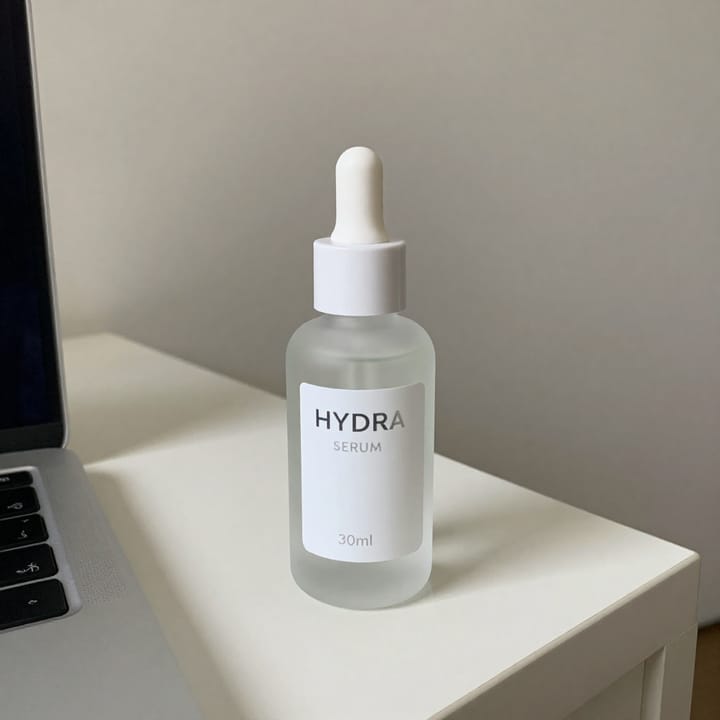
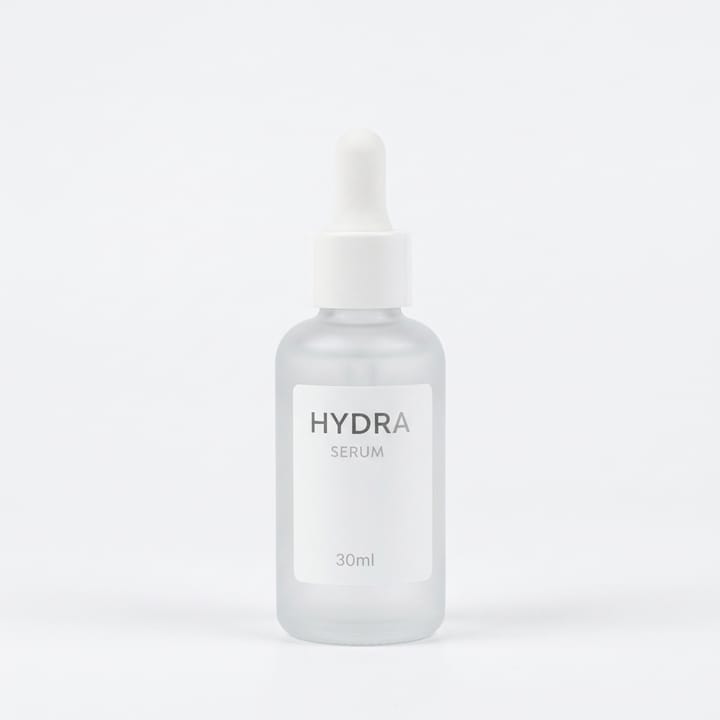
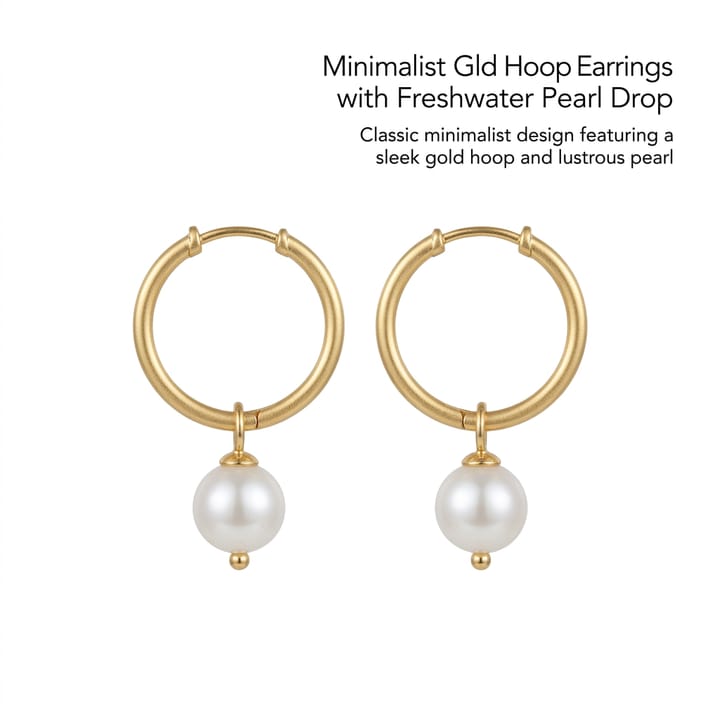

Temu marketplace photo expectations
| Item | Requirement |
|---|---|
| Hero | Clean packshot; product fills frameSource 1 |
| Background | Prefer white / light-neutral when Temu help expects it — confirm current seller helpSource 1 |
| Gallery | Additional angles / detail / packagingSource 2 |
| Overlays | Avoid sale badges / watermarks unless Temu currently allowsSource 1 |
| Channel cluster | amazon-main-image · walmart · google-shopping · tiktok-shop siblingsSource 2 |
Matching MuseFrames output specs
- Amazon hero image: 2000×2000, pure white background, product fills 85%
- Shopify product image: 2048×2048 square
First make one image you like and set it as the hero image, then choose “Channel versions” on it: each version costs 1 credit and is output at the sizes above.
Which tools to use and how many credits they cost
Background Remover
1–3 credits per image (1K–4K)Cutout / white-BG start for marketplace heroes.
Open toolMuseFrames charges in credits: 1 for a 1K image, 2 for 2K and 3 for 4K, with Virtual Try-On, Group Shot, Commercial Ad at 2×; video costs 15 credits for 5 sec and 45 credits for 15 sec.
Steps
- Upload a sharp product photo (true colour, full product visible).
- Isolate with Background Remover or start cutout in Studio.
- Place on white / light-neutral; crop so the product is the clear focus.
- Generate angle / detail / packaging frames from the same master.
- QA logos and proportions; export sizes your Temu listing needs; confirm current Temu seller help.
FAQ
What size should Temu product photos be?
Follow Temu’s current seller / listing image help for recommended dimensions and formats. MuseFrames exports common square and marketplace sizes — confirm on Temu before you upload. This page does not invent pixel rules.
Is Temu the same as Amazon MAIN image?
Similar clean-packshot discipline, but each marketplace has its own rules. See /en/solutions/amazon-main-image and re-check both helps.
White background required?
Many Temu-style grids prefer clean white or light-neutral packshots. Confirm Temu’s current help. See /en/solutions/white-background-product-photos.
Can I reuse Google Shopping or Walmart masters on Temu?
Often yes if colour and crop still look good — re-check each channel’s current help. See /en/solutions/google-shopping-product-photos and /en/solutions/walmart-marketplace-product-photos.
Where do credits and plans live?
See /en/pricing and the Credits & Billing help page. This guide does not list plan prices. Soft CTA: /auth?mode=signup.
Related comparisons
Temu packshots sit next to Amazon MAIN, Walmart, Google Shopping, TikTok Shop, white-background heroes, bulk catalogs, and the Merchant Center image-requirements guide.
Sources
All pages below were accessed on 2026-10-11; prices and features may change at any time, so check the official websites for the latest.
- Temu Seller Center / listing image help (confirm current guidance): https://seller.temu.com/
- Amazon Seller Central: Product image guidelines: https://sellercentral.amazon.com/help/hub/reference/external/G1881
- MuseFrames Pricing: https://museframes.com/en/pricing
- MuseFrames Tools: https://museframes.com/en#tools
Try it with your own product photos
Create account when you hit Generate — Google or email.
Generate your first catalog shot free